Description:
For EDPS 345, One of my assignments was a group presentation, over an aspect of assessments. I was partnered up with another student in my class (shoutout to Harlee William), and we would create a 20 minute presentation over a give specific topic- ours was Response to Intervention (RtI). We had to create a crash course of what RtI was, and then integrate a form of technology, as a tool of assessment to use throughout the presentation. Below is a reflection of the presentation itself, screen shoots of the presentation, as well as screen shot from our method of assessment.
Rationale
I chose to tie this to InTASC 2, because it is all about the how as teachers, we use different strategies to connect with and meet the needs of learners. We had to discuss and figure out the proper method of presenting the information, as well as the proper way to assess our fellow preservice teachers, over the information that was being presented.
View my all artifacts for standard 2 (2011)-DP3
The requirements of this presentations were that it had to be over some form of assessments and we had to integrate a technology based learning response system. We would be in charge of creating this presentation and integrating another form of technology into the presentation—we were given 15-20 minutes to present our information to the class. I was partnered with Harlee; Harlee and I created our presentation over the RTI (Response to Interventions) assessment. The format that we decided to use for our learning response was Quizizz. We talked about the different tiers of RTI, the types of RTI, who is involved in the RTI Process, and we then went through different types of scenarios for possible situations that would require RTI.
To collaborate on this presentation; Harlee and I decided to start with a Google Slide show. Harlee really got to work on the slide show, while I focused on different ways to integrate the learning response. We found that texting and regular meetings were the best way to communicate with one another. On the day our our presentations we used the overhead for the slide show, and we used the Smartboard and iPads to display and implement the frequent questions that we came up with in order to keep our listeners engaged in what we were saying.
Reflection:
I believe that our presentation went very well; we had a lot of information to present and with how often we used the learning response- I think that we avoid potential issues well. I think that using Quizizz after every few slides was a good way to make sure that our peers were paying attention—and I believe that having a final check that included scenario questions—made us realize how well we covered certain area, and where we could have focused more. Especially, since our questions were based on the current information that we were presenting- the audience was held responsible for knowing the answer in order to win the prize (candy).
I think that the presentation went extremely well, and I believe that, that is a direct relation to how prepared Harlee and I were. We had been preparing every day for about two weeks and the day of the presentation- we went in HOURS early and ran through the information, to ensure we were prepared, and to prepare the set of iPads that we would pass out. We never ran into any transitions- the only thing that either of us worried about was the possibility of going over time—and I think that because our set up, unique platforms—it drew the audience’s attention in more and allowed them to become engaged with our presentation. I wish I had worked harder on my voice, and facial expressions—and I really wished I had found a better way to control the Quizizz without using both a phone and laptop.
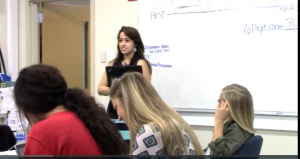
Here is a picture of me, in front of the Whiteboard, waiting for our Quizizz and our presentation to begin.
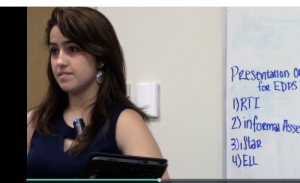
Here is a picture of me, going over some of the questions and the answers during our presentation.
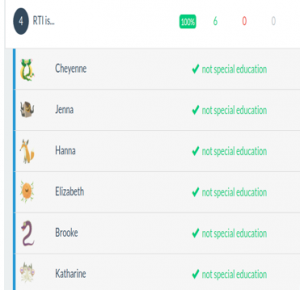
Here is a picture from results of our audience’s answer to one of our questions that we asked using Quizizz.
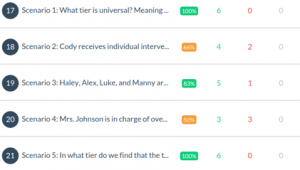
Here is a picture of a score sheet of answers, for multiple questions that we asked using Quizizz during our presentation.